How to download a torrent — safely, in 6 steps
What a magnet link really is, how to download safely with a VPN, and why seeding keeps it all free.
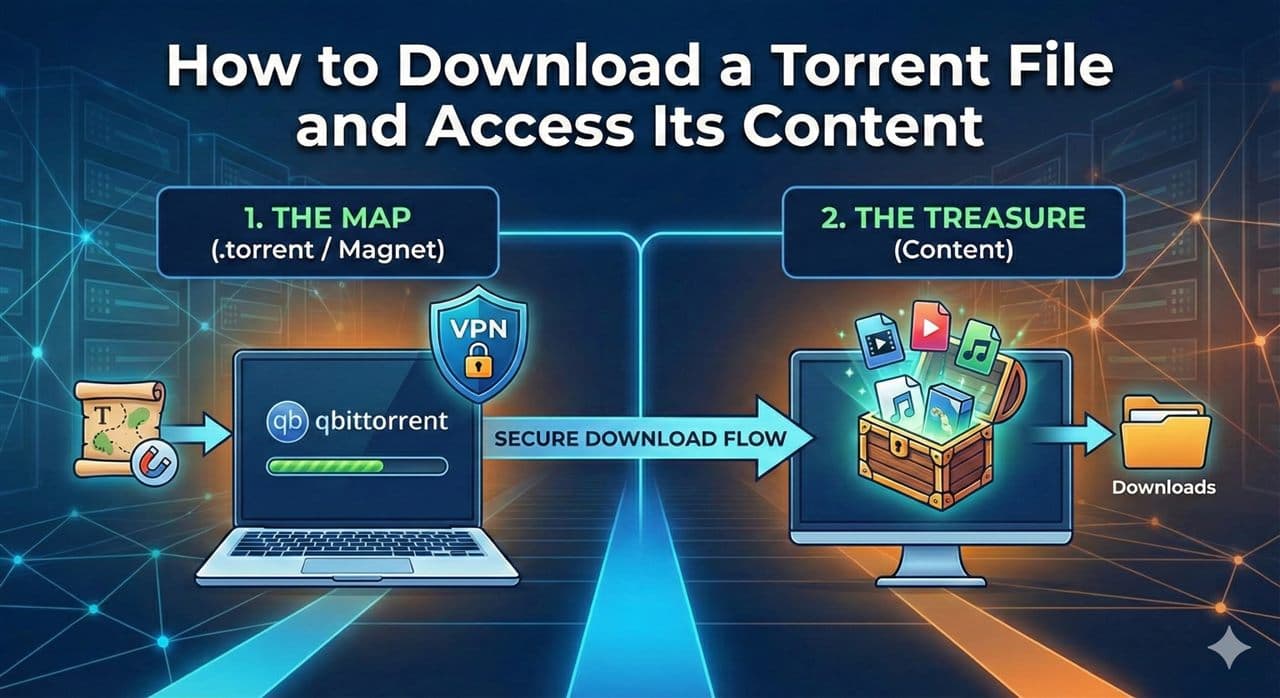
New to torrents? Relax — it's easier than it looks, and this guide walks you through it from zero. In five minutes you'll know what a torrent is, how to download one safely, and how to be a good citizen while you're at it. 🧲
First, the honest bit. Torrenting is just a technology for sharing files — it's completely legal. What matters is what you download: only grab things you have the right to (open-source software, public-domain media, your own backups, freely shared community files). You're responsible for what you choose.
What a torrent actually is
A .torrent file or a magnet link is not the movie, the app, or the album. It's a tiny treasure map 🗺️ — a pointer that tells your app where the pieces of the file live and how to reassemble them.
Instead of downloading everything from one server, you download small pieces from lots of people at once (the "swarm"). That's why torrents are fast and hard to break: there's no single point that can go down.
- Seeders — people who have the full file and are sharing it. More seeders = faster download.
- Leechers — people still downloading (like you, at first).
- Magnet link — a one-click version of a
.torrent, starts withmagnet:?….
Before you start: stay safe 🛡️
- Use a VPN. It keeps your activity private from your internet provider and others in the swarm. This is the single most important habit — turn it on before you download.
- Check the health. Prefer torrents with many seeders and good ratings/comments. Healthy swarm = fast, complete, trustworthy.
- Watch the file list. If a "movie" contains a
.exe, or a 2-hour film is only 20 MB, close it. That's not the real thing.
Download it, step by step
- Install a torrent client. Free and trusted: qBittorrent (recommended, no ads) or Transmission. That's the app that reads the treasure map.
- Get the link. On Olii, open an Archives entry and copy its magnet link or download its
.torrentfile. - Open it. Click the magnet link, or double-click the
.torrent. Your client opens automatically. - Choose what & where. Pick a save folder, and untick any files you don't want.
- Let it run. Watch the progress bar. Speed depends on how many seeders are online — it can start slow and speed up.
- Open your files. At 100%, everything's in the folder you chose. Done. 🎉
magnet:?xt=urn:btih:EXAMPLEHASH...&dn=Ubuntu-24.04.iso
        └─ the "treasure map" your client follows to the swarm
The one thing that keeps torrents alive: seeding 🌱
When your download hits 100%, don't close the app right away. Leave it running so others can download from you — that's called seeding, and it's how the whole system stays fast and free.
A good habit: seed back at least as much as you took (a ratio of 1.0 or more). It costs you nothing and it's the community keeping the community alive.
Quick fixes when something's stuck
| Problem | Try this |
|---|---|
| Download stuck at 0% | Few/no seeders — pick a healthier torrent |
| Very slow | Check your VPN, or the swarm may be small right now |
| Client won't open the link | Reinstall the client; set it as default for magnet links |
| File won't open when done | You may have unticked a needed file — re-download it |
In one line
Grab a client, use a VPN, download from healthy swarms, and seed back. That's it — welcome to the fast lane. 🚀
The Archives on Olii are a metadata index — we host no files. Always make sure you have the right to what you download.